A week of event promotion does not always require seven separate designs. For small businesses, the harder task is turning one event into a coordinated set of announcements, reminders, social posts, and last-minute calls to action, all prepared before the week begins.
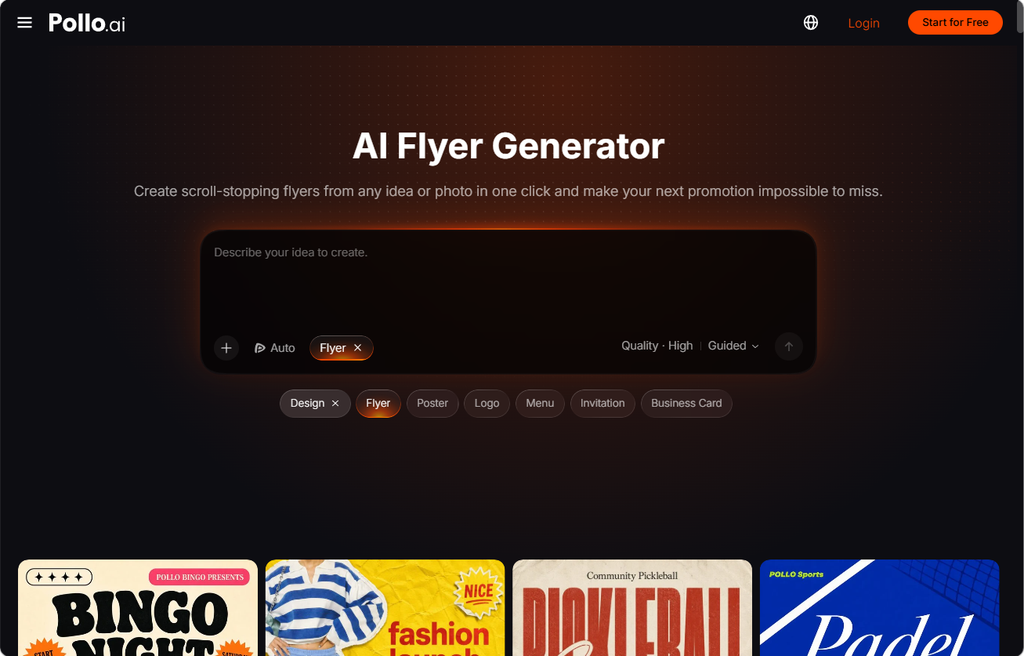
This article shows how to map that week on one calendar, prepare reusable brand inputs, and use an AI flyer generator in Pollo AI to build a consistent set in a single afternoon. The result is a campaign system that stays recognizable across days and channels.
Step 1: Map the week on one calendar
Start by listing every event, date, time, location, offer, audience, and desired action in one campaign calendar. A café might promote a Monday coffee deal, a Tuesday acoustic set, and a weekend brunch, each with its own message but the same information structure. Mark which items need a printed flyer, a social post, or a thumbnail.
Then decide which details must appear on every design, such as the business name, logo, address, and booking link. Note the channel for each promotion before any design begins, so no format is forgotten when the week fills up. Plan at least one spare slot for a last-minute change, such as a sold-out session or a weather update.
Step 2: Prepare brand inputs before generating
Gather the official logo, product photos, brand colors, and approved wording before opening any tool. Set a few fixed rules, including logo placement, two or three main colors, one headline style, and one call-to-action treatment. These rules let the image and offer change while the set still reads as one campaign.
Write the copy first, and give the AI flyer generator the exact wording it should display. Avoid asking it to invent dates, prices, or addresses, because those details must come from your own source material. Store the approved inputs in one shared folder with a short note on how each file should be used, so new team members do not have to guess which logo is current.
Step 3: Batch the designs and adapt each channel
Build one first direction in the AI flyer generator, then create controlled variations that change a single element at a time. One version might emphasize the product, another the atmosphere, and a third the discount, so you can compare them fairly. Each variation should answer a clear question, such as which image draws more interest.
A story graphic and a printed poster need different compositions, so adapt each one rather than stretching a single file. Covers from the thumbnail maker should repeat the color treatment and headline language of the flyers, but carry less text because they often appear at small sizes. Duplicate the strongest layout for the next promotion and change only the message, which is usually faster than starting over.
Step 4: Review and schedule the full set
Check prices, dates, times, addresses, and discount conditions by hand, since generated text can contain small errors. Compare every design side by side, including the thumbnail maker covers, then view each one on a phone or as a printed test page. Ask a teammate who has not seen the designs to find the date and the offer within ten seconds.
Name files by event, date, and channel, and store the source assets, captions, and scheduling notes together. Archive the final exports with the event date in the file name, so reminders and recaps can reuse the right version. A clear folder structure makes late changes faster to apply, especially when a time or price shifts.
Planning the calendar first turns a crowded week into one manageable afternoon. Map each day, prepare the brand inputs once, batch the layouts, and review every export before scheduling.
Teams that repeat this sequence can spend more time on the message and less on rebuilding each design. Pollo AI can serve as the starting point for that routine, from the first AI flyer generator layout to the final files. Try it on a single week before applying it to a full season.
Schedule the week’s campaign
A focused calendar and reusable visual direction can turn a week of event promotion into a manageable afternoon project. Use the flyer for complete event details and the thumbnail maker for compact video and social previews.
Check dates, offers, branding, and channel requirements before publishing. Pollo AI gives small teams a practical way to prepare coordinated campaign assets with less repetitive design work.